

Gamefings logoimg
Understanding Frame Rate in Video Games (And Why Your Eyes Might Be Lying to You)
by Gemma Looksby Gemma Looksby photo 03 Sep 2024
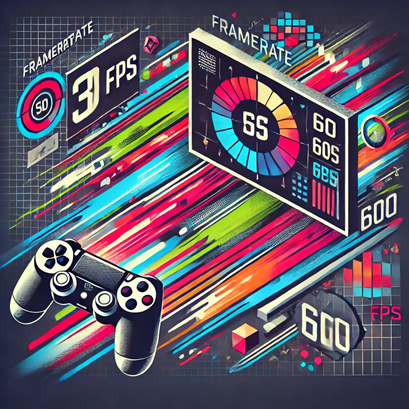
Image for Understanding Frame Rate in Video Games (And Why Your Eyes Might Be Lying to You)

1. What is Frame Rate?

Let’s start with the basics: frame rate, often measured in frames per second (FPS), refers to the number of images (or frames) your screen displays per second. Think of it like a flipbook animation on steroids. If your game is running at 30 FPS, it’s like flipping through 30 pages of beautifully drawn carnage every second. Bump that up to 60 FPS, and it’s like flipping twice as fast—but without getting paper cuts or looking like you’re desperately fanning yourself.

Fun Fact: The average human blinks about 15-20 times per minute. At 120 FPS, your game sees more action in one second than your eyes do between blinks.

In short, the higher the frame rate, the smoother the gameplay looks and feels. But beware—higher isn’t always better if your hardware can’t handle it. We’ll get to that part, but first, let’s break down some common frame rates you’ve probably heard about.

2. Common Frame Rates Explained

  • 30 FPS: The trusty standard for consoles since the dawn of gaming time (or at least since they stopped making games look like Tetris). It’s smooth enough for most cinematic experiences, but in fast-paced games, it can feel like your character is running through molasses.
  • 60 FPS: The golden standard for PC gamers and the holy grail of smoothness. Everything feels crisp, responsive, and buttery smooth—like a hot knife through FPS envy.
  • 120 FPS and Beyond: You’ve entered the realm of the elite. This is where esports pros, VR enthusiasts, and people who spend more on graphics cards than rent feel at home. It’s ridiculously smooth, but beware: once you get used to it, there’s no going back. Literally. You’ll scoff at 60 FPS like it’s the gaming equivalent of dial-up internet.

But, as they say, with great power comes great responsibility—and also a great need for expensive hardware. Which brings us to the next section.

3. How Frame Rate Affects Gameplay (Or Why Your Character Sometimes Moves Like a Drunk Sloth)

Frame rate directly impacts how responsive and immersive your gaming experience feels. At lower frame rates (like 30 FPS), you might notice a slight lag between your input and what happens on-screen. It’s the digital equivalent of shouting "jump" at your character and them politely ignoring you until they feel like it. Not ideal in high-stakes scenarios like, you know, avoiding an explosion.

"I’m not slow, I’m cinematic!" — Your Game Running at 24 FPS

Higher frame rates reduce this input lag, making the game feel more immediate and your actions more precise. For competitive shooters, fighting games, and any title where milliseconds count, higher FPS can mean the difference between virtual glory and getting fragged by a 12-year-old who insists they’re not cheating. We believe you, Timmy. Really.

4. The Great Frame Rate vs. Graphics Debate

Gamers have been battling over frame rate vs. graphics quality since the dawn of… well, whenever we got more than 8 bits to play with. Here’s the gist: cranking up the graphics settings makes everything look prettier, but it also demands more from your hardware. It’s like asking your console or PC to paint the Mona Lisa while running a marathon.

High graphics settings with low FPS can turn your game into a choppy mess that feels like watching a PowerPoint presentation on the world's most dangerous job: parkour. Conversely, lowering graphics to achieve a higher FPS might make your game look like it was made in the '90s but will feel smoother than ever.

Fun Fact: Lowering shadows and reflections in games can often give you an instant FPS boost. Just pretend your game is set in a universe where mirrors and direct sunlight don’t exist.

Ultimately, it’s all about balance. Do you want a beautiful slideshow or a slightly uglier masterpiece that runs like a dream? The choice is yours. But hey, we’re not judging. (Okay, maybe a little.)

5. How to Boost Your Frame Rate Without Sacrificing Your Soul (or Wallet)

So, you’ve decided you want those sweet, sweet frames without auctioning off your kidneys for a high-end GPU. Good news! There are some tricks you can try:

  • Lower Your Graphics Settings: The most obvious tip but often the hardest to swallow. Reducing settings like shadows, reflections, and draw distance can work wonders. Just pretend you’re playing in a foggy, poorly-lit world. Adds to the atmosphere, right?
  • Update Your Drivers: Not updating your graphics drivers is like buying a sports car and never changing the oil. Make sure your drivers are up to date for performance optimizations.
  • Close Background Apps: Your PC or console doesn’t need to be checking emails or updating your calendar while you’re fighting off zombies. Close any unnecessary apps to free up some performance juice.
  • Resolution Scaling: Lowering the resolution can provide a significant FPS boost, but don’t go too low, or you’ll end up playing Minecraft (and not the good kind). Aim for a balance that doesn’t turn your game into a pixelated mess.

These tips can help squeeze out extra frames, keeping your game running smoothly without needing to break the bank—or your spirit.

6. The Final Frame (Conclusion)

Frame rate is one of those things you don’t think about until you do—and then you can’t stop thinking about it. Whether you’re a casual gamer who just wants to relax or a hardcore enthusiast who dreams of 144 FPS glory, understanding frame rate can help you get the most out of your gaming experience.

So, the next time your game feels choppy, remember: it’s not you, it’s the frames. And maybe, just maybe, it’s time to turn down the graphics settings and embrace the smooth side. Your eyes—and your K/D ratio—will thank you.


"Smooth gameplay is like smooth jazz—once you feel it, you’ll never go back." — Totally Real Gaming Guru
Related
Latest
image for news article 'Sophie Turner Is Lara Croft — How Tomb Raider's Brutal Skill Ceiling Will Shape Amazon's TV Take'
Hemal Harris - 04 Sep 2025
Sophie Turner will play Lara Croft in Amazon's Tomb Raider series. Here's how the show can capture the games' brutal challenge loo...
image for news article 'Gamescom 2025: From Hornet's Revenge to Gunfights in the Future — The Biggest Reveals, Ranked by Hype (and Probability of Screaming)'
Gemma Looksby - 27 Aug 2025
Gamescom 2025 unleashed release dates, surprises, and enough nostalgia to power a retro arcade. Hollow Knight: Silksong finally la...
image for news article 'From Sidekick to Symptom: An In-Depth Look at How Game Characters Grow (and Break) Over Time'
Tanya Krane - 22 Aug 2025
A witty, in-depth analysis of how video game characters evolve - from antiheroes and companions to tragic villains - and how gamep...
image for news article 'Helldivers 2: The Ultimate Skill Test — How to Survive When Friendly Fire Is A Feature'
Hemal Harris - 22 Aug 2025
Helldivers 2 turns cooperative shooters into a terrifying teamwork exam. From friendly-fire fiascos to stratagem juggling and glob...
image for news article 'PlayStation Plus August Drop: Mortal Kombat 1, Spider-Man, Sword of the Sea and Two Resident Evils — Sony’s Buffet of Beatdowns and Beachside Introspection'
Chucky - 22 Aug 2025
Sony's August PlayStation Plus drop mixes Mortal Kombat 1 and Marvel's Spider-Man with day-one indie Sword of the Sea, EDF6 co-op ...
image for news article 'Tariff Drama and Console Character Arcs: How the PS5 Price Hike Recasts PlayStation's Story'
Tanya Krane - 21 Aug 2025
Sony just raised PS5 prices in the US - but this is more than a number. We break down the cast, the catalyst (hello, tariffs), and...
image for news article 'The Nintendo Switch 2: An Overhyped Second Date That Actually Went Well'
Chucky - 14 Jun 2025
Nintendo Switch 2 has hit the market, and it's selling like hotcakes! Here's what you need to know about this slightly improved se...