

 Nov 2018


RPG Maker MV on PS4 is what happens when a toolbox decides it wants to be a console game: same ambition, fewer precise fingers. MV is the entry in the long-lived RPG Maker family that swapped Ruby for JavaScript, added side-view battles, and finally stopped pretending that mobile devices were just a passing trend. On PlayStation 4 it's shipped under the 'Trinity' banner, bringing the desktop maker's promise - make a game without becoming a full-time coder - to the couch and the oddly dedicated developer who prefers creating with a controller. The pitch is simple and slightly alarming: you can now build an RPG without opening Visual Studio, hiring an artist, or answering the life choices that come with learning programming. What you get for that convenience is a surprisingly full-featured engine with premade assets, plugins, layered tilesets, and the ability to export to multiple platforms. What you lose is some of the desktop finesse; the PS4 port is less a polished workstation and more a comfy armchair for sketching level designs between matches of something with slightly less responsibility.
RPG Maker MV is not a game in the traditional sense, unless you count 'assembly, frustration, and eventual triumph' as a genre. Instead it hands you a map editor, an event scripting system, a battle editor, and an enormous pile of premade characters, tilesets, and music. The map editor uses layered tilesets - a welcome return to the layering ideas fans adored in older entries - and MV automatically stacks tiles when you place them. That convenience turns into mild annoyance when you want pixel-perfect control, but for most creators it speeds things up and stops maps from looking like they were tiled by someone with a distinctive hatred of overlap. Events are the backbone of MV's design: talk to NPC, trigger scene, flip switch, break the world. The system is approachable, using menus rather than hard scripting for a large chunk of interactions, which makes MV the go-to engine for storytellers who want to focus on writing and pacing, not syntax errors. For anyone who does want to get their hands dirty, JavaScript plugins add power and extendability. MV's switch from the Ruby-based RGSS to JavaScript was a big deal; it opened the engine to a much larger pool of community-made plugins and let completed games run on PCs and mobile devices. On PS4 you still benefit from that plugin ecosystem if the port includes them, and the core mechanics - side-view combat options, enemy behaviors, item definitions - remain intact. Battle systems in MV include side-view battles (a modern-ish nod to classic JRPGs) and the more traditional front-view options carried over from older versions. The battle editor allows basic customization of skills, formulas, and animations; serious combat designers will find it serviceable but sometimes limiting compared to dedicated RPG frameworks. For everything else, plugins fill in the gaps: more complex equations, camera control, new UI elements, or even entirely different gameplay loops. The engine's multi-genre flexibility means you can build horror walkabouts, visual novels, puzzle hybrids, or traditional RPGs - notable fan hits like Ib and numerous horror darlings prove the point. The console interface is the crux of the PS4 experience. MV was built around mouse, keyboard, and the patient dexterity of PC users. Porting to a controller requires menu navigation, slower asset placement, and occasional micro-adjustments that feel clunky with thumbsticks. It's perfectly usable for smaller projects, drafts, or for people who like designing from the sofa while pretending their posture is still 'creative', but if you plan to craft sprawling worlds or fiddly event chains, a PC remains the better workshop. That said, being able to play completed games on the same console you made them on is oddly satisfying. There's a modest romance to creating a scene and then immediately sitting back to playtest it with a DualShock controller.
MV pushes a 'high-resolution features' checkbox louder than its ancestors. Compared to VX's blocky RTP, MV offers higher-res options, layered tilesets, and the freedom to import your own art. The default resources are functional and nostalgic in a way that makes them useful for quick prototyping, but they are not going to win any awards for originality. Importing custom sprites and tiles is straightforward on PC; on PS4 it feels like the developer packed a paintbrush and then asked you to paint through a letterbox. Tileset layering is MV's visual secret weapon: you can stack floor patterns, decorative objects, and collision tiles without fighting the editor. The side-view battle animations look decent and are a step up from older entries' flatter presentations. The engine's RTP music and asset packs are perfectly fine background scores for a long, existentially themed cutscene. If you want something that looks unique, MV expects you to either bring your own assets or trawl the community plugin and resource libraries - many great indie titles made with MV did exactly that, turning modest tools into memorable visuals. On PS4, graphical fidelity is limited by practicalities rather than the engine itself. Screens feel a touch less sharp in the editor, and navigating large maps can bring up the occasional interface slowdown. These are not dealbreakers; they are the kind of compromises one accepts when designing with a gamepad instead of a keyboard and mouse.
RPG Maker MV on PS4 is a sincere and slightly sleep-deprived workshop for creative people. It preserves the engine's strongest virtues - accessible mapping, a flexible event system, side-view battles, JavaScript plugin support, and cross-platform reach - while accepting the reality that consoles are not ideal for fine-grained creation. If you want to sketch ideas on your couch, prototype a short narrative experiment, or play around with building a small game without committing to a PC setup, MV on PS4 does the job and does it without dramatic tantrums. If your ambitions include sprawling epics, heavily scripted mechanics, or obsessively detailed art placement, move this to a PC and treat the PS4 version as a convenient tester or a charmingly limited portable studio. MV's legacy is larger than any single release: it helped launch titles that became cultural touchstones, and switching to JavaScript widened the engine's reach. On PS4 the package is slightly hampered by input and interface compromises, but the core promise remains intact - you can make a game without having to become a professional. That feels like an achievement for an engine that has spent decades being the quiet choice of creators who just want their weird ideas to exist. Score: 7.5/10 - excellent toolbox with a few ergonomic caveats when used with a controller, and infinitely better than the alternative of trying to learn game engines by osmosis.
 Taiko no Tatsujin: Dokodon! Mystery Adventure on Switch
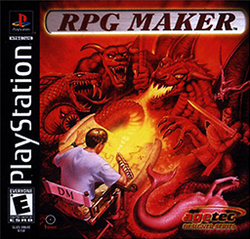
 RPG Maker on PlayStation
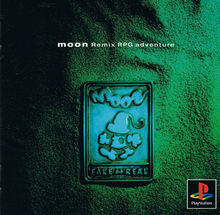
 Moon: Remix RPG Adventure on PlayStation
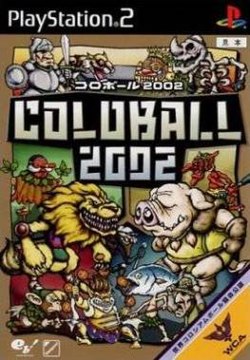
 Coloball 2002 on PS2
 Press Your Luck on PS3
 Game Dev Story on PS4
 Mom Hid My Game! on Switch








 Another SquareThought Site